
IQSN Mobile14 - App Store
You'll be able to see results in few seconds.
Publisher Description


FIx Logout issue
Bug fixes and minor enhancements
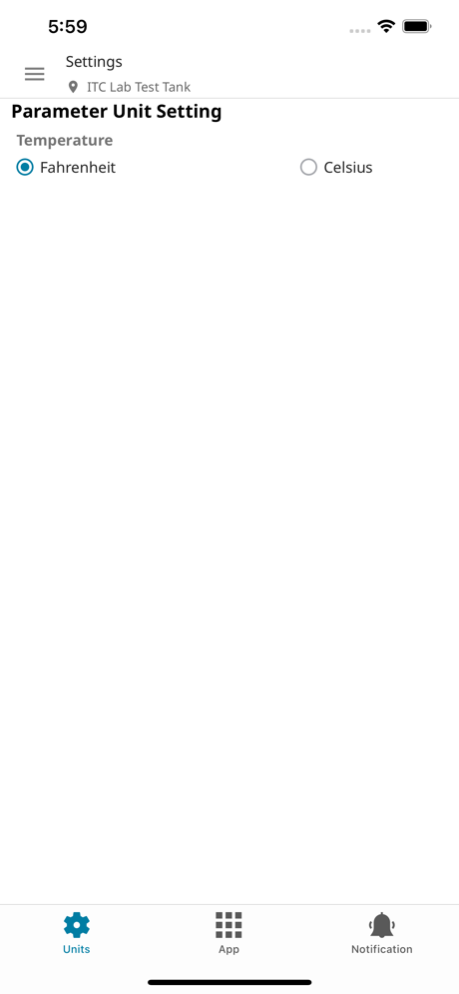
IQ Mobile gives you access to online measurement data from your IQ SensorNet network of sensors and analyzers. IQ Mobile provides alarms, sensor health notifications and maintenance reminders. With IQ Mobile, you can be confident in your online measurements. Continue reading to see how IQ Mobile can help you optimize your IQ SensorNet system.
REMOTE DATA ACCESS
Accessing instrument data has never been more convenient. While using IQ Mobile you will be able to access IQ SensorNet anywhere your mobile device has an internet connection. This allows you to stay updated on the condition of your process at all times.
REAL-TIME ALERTS
Always stay informed on the status of your process monitoring network. Push notifications, texting and email notification options allow you to customized alerts, alarms and reminders on your mobile device.
MAINTENANCE TRACKING
Keep track of maintenance with an activity log function.
SECURITY
Cybersecurity and secure data transmission is a top priority for Xylem. Along with a risk‐based security design and implementation approach, our engineering, development, and cybersecurity teams remain diligently focused on the identification and eradication of security vulnerabilities. For more information about our security strategy please visit https://www.xylem.com/en-us/about-xylem/cybersecurity/
Mar 4, 2025
Version 14 ready for production
FIx Logout issue
Bug fixes and minor enhancements
About IQSN Mobile
The company that develops IQSN Mobile is Xylem Inc.. The latest version released by its developer is 14.
To install IQSN Mobile on your iOS device, just click the green Continue To App button above to start the installation process. The app is listed on our website since 2025-03-04 and was downloaded 0 times. We have already checked if the download link is safe, however for your own protection we recommend that you scan the downloaded app with your antivirus. Your antivirus may detect the IQSN Mobile as malware if the download link is broken.
How to install IQSN Mobile on your iOS device:
- Click on the Continue To App button on our website. This will redirect you to the App Store.
- Once the IQSN Mobile is shown in the iTunes listing of your iOS device, you can start its download and installation. Tap on the GET button to the right of the app to start downloading it.
- If you are not logged-in the iOS appstore app, you'll be prompted for your your Apple ID and/or password.
- After IQSN Mobile is downloaded, you'll see an INSTALL button to the right. Tap on it to start the actual installation of the iOS app.
- Once installation is finished you can tap on the OPEN button to start it. Its icon will also be added to your device home screen.
Program Details
System requirements
Download information
Pricing
Version History
version 14 ready for production
posted on 2025-03-04
Mar 4, 2025
Version 14 ready for production
FIx Logout issue
Bug fixes and minor enhancements
version 13.0.37
posted on 2024-05-16
May 16, 2024
Version 13.0.37
Acknowledging the Factory default reminders.
SMS, Email and PUSH notifications for Factory default reminder acknowledgement.
IQSN/controller name can be modified.
UI Notification on Dashboard in case of communication error.
SMS, Email and PUSH notifications when communication errors are detected and resolved.
Bug fixes and minor enhancements
version 9.0.8
posted on 2023-03-30
Mar 30, 2023
Version 9.0.8
* Factory default reminders for FDO, Sensolyt and Varion sensors and notifications support
* Dashboard notification popup, SMS, Email and PUSH notifications support for communication errors in case of trigger and resolved conditions.
* Communication errors integration with logbook. User will be able to see com errors in the logbook
* Accounts/Customers visibility in the app under "User Accounts" page.
* Bug fixes and minor enhancements
Disclaimer
Official App Store Link
We do not host IQSN Mobile on our servers. We did not scan it for viruses, adware, spyware or other type of malware. This app is hosted by Apple and passed their terms and conditions to be listed there. We recommend caution when installing it.
The App Store link for IQSN Mobile is provided to you by apps112.com without any warranties, representations or guarantees of any kind, so access it at your own risk.
If you have questions regarding this particular app contact the publisher directly. For questions about the functionalities of apps112.com contact us.
